|
Region |
Using Shopify Payments |
Not using Shopify Payments |
|
United States, United Kingdom, Ireland |
$200,000 USD/year |
$60,000 USD/year |
|
Canada, New Zealand |
$300,000 USD/year |
$60,000 USD/year |
|
Australia |
$400,000 USD/year |
$60,000 USD/year |
|
Singapore |
$600,000 USD/year |
$60,000 USD/year |
How KwikAds helped Shop Unrush boost ROAS by 37% in 3 months
How KwikAds helped Shop Unrush boost ROAS by 37% in 3 months
How KwikAds helped Shop Unrush boost ROAS by 37% in 3 months
How KwikAds helped Shop Unrush boost ROAS by 37% in 3 months
Shopify
What is the Difference Between Shopify Plans?
 09 Jun 2026
 09 Min Read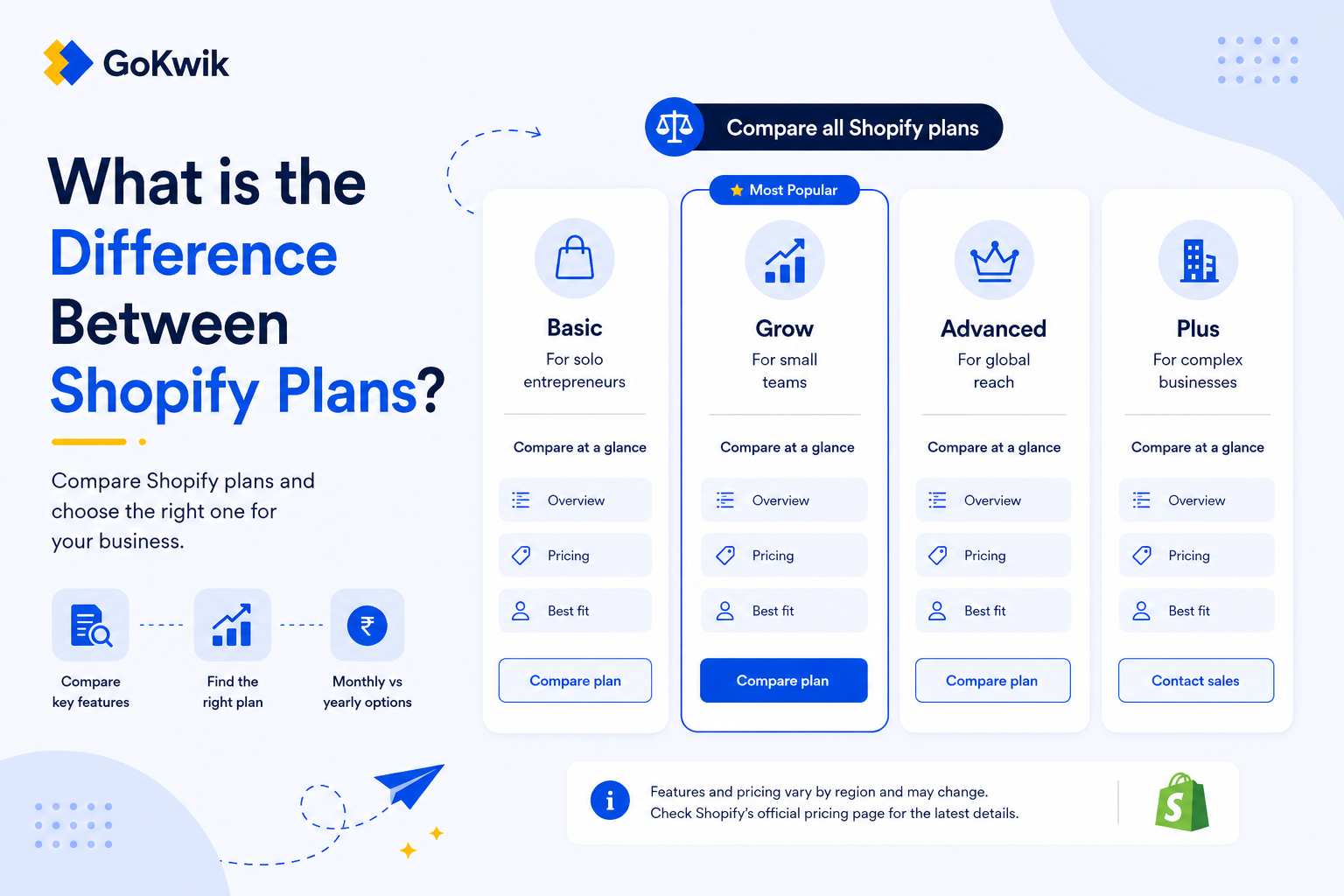
Suhag spearheads D2C growth strategies at GoKwik, focusing on e-commerce optimisation, conversion funnels, and sales enablement. Based in Bengaluru and an MICA alumnus, he excels in crafting GTM playbooks and marketing campaigns tailored for D2C brands.
Read this blog on your favourite platform
Choosing the wrong Shopify plan means either overpaying for features you don't need or hitting growth limits when you scale. The best plan for your business depends on your experience with ecommerce, expected sales volume, and whether you need advanced features like professional reports or lower transaction fees. This guide walks you through the key differences between Shopify's plans so you can choose the one that matches your growth stage and saves you money.
Overview of Shopify Plans
Shopify offers five main pricing plans, each designed for different business types and growth stages:
- Starter plan: Best for selling through social media or messaging apps without maintaining a full online store
- Basic plan: Best for new businesses ready to launch an online store and start making sales
- Grow plan: Best for growing businesses with consistent sales that need more features like advanced reporting or additional staff accounts
- Advanced plan: Best for high-volume businesses that need the lowest transaction fees or businesses migrating from another platform
- Retail plan: Best for retail businesses that sell in store and want a simple online presence
The Starter plan is available only to new merchants and those in the free trial period.
Transaction Fees and Credit Card Rates
One of the most significant differences between plans is how much you pay in transaction fees. On higher-tier plans, credit card fees are lower. After your sales are high enough, these savings might cover the higher monthly plan cost.
The exact point where upgrading saves you money depends on your location and whether you use Shopify Payments. Review the current rates on the Shopify pricing page to calculate your specific break-even point. All three core plans - Basic, Grow, and Advanced - are available at a 25% discount when billed annually.
When upgrading to the Grow plan saves money:
So for India, Grow starts saving money over Basic at roughly ₹49–50 lakh/year in online sales, assuming payments go through a third-party gateway.
When upgrading to the Advanced plan saves money:
In India, based on Shopify’s annual prices and third-party transaction fees, upgrading from Grow to Advanced starts saving money at roughly ₹5.1 crore/year in online sales, assuming those sales are processed through third-party payment providers.
Staff Accounts
Each plan supports a different number of user accounts:
- Basic plan: Supports 0 user accounts
- Grow plan: Supports five user accounts
- Advanced plan: Supports 15 user accounts
If you have a growing team that needs admin access, you'll need to factor this into your plan choice. Also all paid plans also include unlimited collaborator accounts, which are separate from staff accounts. Collaborator accounts are designed for external partners such as developers, designers, or agencies who need temporary or ongoing access to your store's admin.
Reporting and Analytics
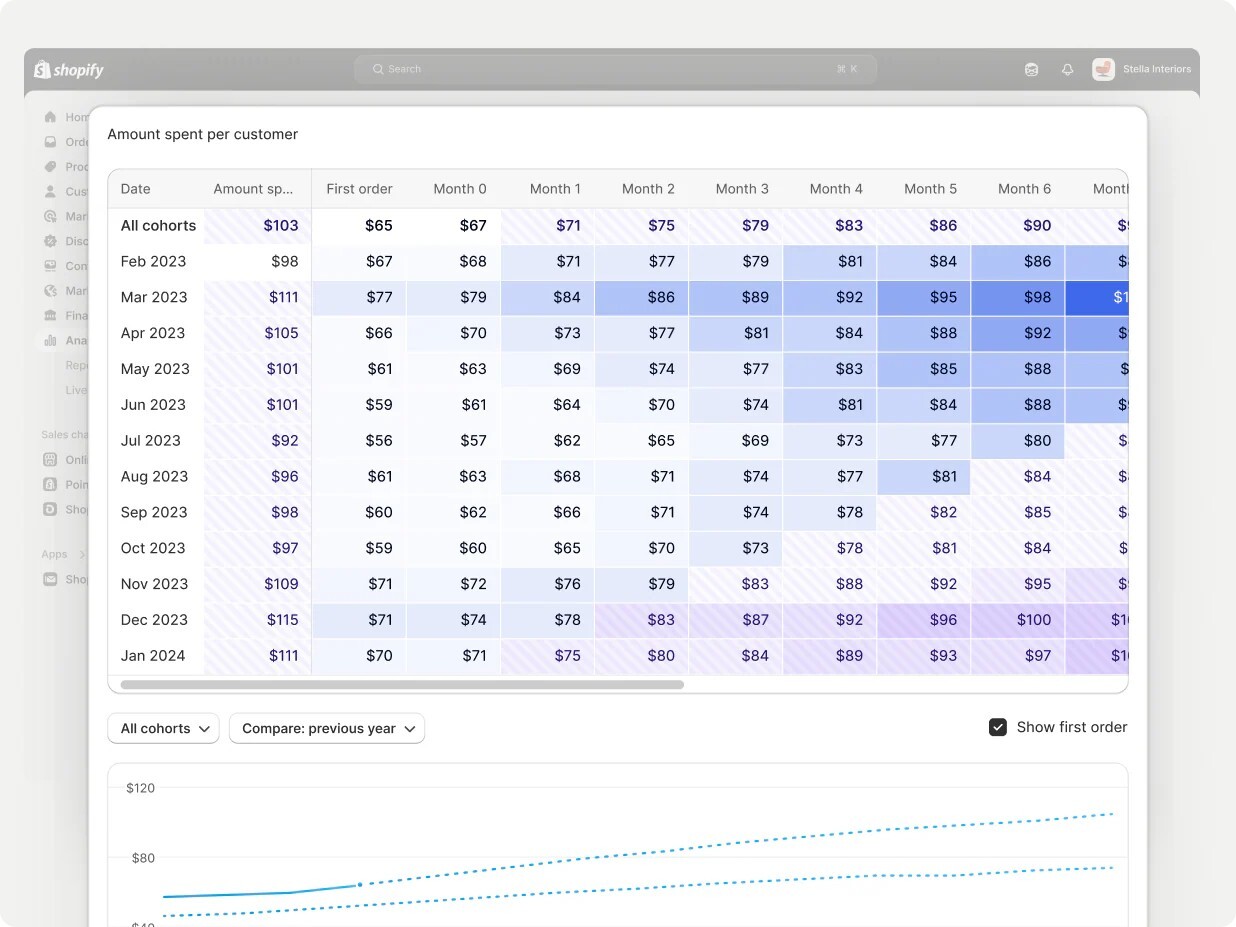 Source: Shopify
Basic plan reporting:
The Basic plan comes with the analytics page, finances reports, product analytics, Live View, acquisition reports, inventory reports, behavior reports, marketing reports, order reports, sales reports, and retail sales reports.
The Basic plan comes with the analytics page, finances reports, product analytics, Live View, acquisition reports, inventory reports, behavior reports, marketing reports, order reports, sales reports, and retail sales reports.
Grow plan reporting:
The Grow plan includes everything from the Basic plan, plus profit reports, customers reports, and the ability to create custom reports with data explorations (available in all plans). These customer reports help you gather useful data on how your customers are using your store and who is purchasing your products.
The Grow plan includes everything from the Basic plan, plus profit reports, customers reports, and the ability to create custom reports with data explorations (available in all plans). These customer reports help you gather useful data on how your customers are using your store and who is purchasing your products.
Advanced plan reporting:
The Advanced plan includes all reports from the Grow plan with enhanced retail store features.
The Advanced plan includes all reports from the Grow plan with enhanced retail store features.
International Commerce Features
The Grow and Advanced plans support international growth through international sales tools. These are cross-border management tools that let you configure specific settings for each international region, making it easier to expand globally.
B2B Features
If you plan to sell B2B, feature availability varies by plan:
B2B catalog limits:
On the Basic, Grow, and Advanced plans, you can assign up to 3 active catalogs across all your B2B markets. Assigning 3 catalogs to one B2B market uses the full limit.
|
Feature |
Basic |
Grow |
Advanced |
Plus |
|
Number of B2B catalogs (assignable to B2B markets) |
3 |
3 |
3 |
Unlimited |
|
Direct company catalogs |
✘ |
✘ |
✘ |
✔ |
|
Deposit requirements (companies) |
✘ |
✘ |
✘ |
✔ |
|
Partial payments |
✘ |
✘ |
✘ |
✔ |
|
Payment requests per fulfillment |
✘ |
✘ |
✘ |
✔ |
Retail Plan Specifics
The Retail plan is designed specifically for businesses that primarily sell in physical stores but want a simple online presence.
Included POS Features
The Retail plan comes with one Shopify POS Pro location with these features:
- Unlimited Shopify POS staff accounts
- Professional reports
- Unlimited registers
- Customer relationship tools
- Inventory management tools
- Flexible shopping options (in-store shopping, in-store pickup, returns and exchanges at any location)
- PCI compliance
- 24/7 retail support
- Two-year hardware warranty (compared to one year on other plans)
Important: The Retail plan is not available to new merchants. It can only be selected during your initial signup period. Additionally, if you are currently on the Retail plan and switch to any other plan, you cannot switch back to the Retail plan. If you are evaluating the Retail plan, confirm your eligibility before building your operations around its features.
Theme Limitations
With the Retail plan you can use only the Spotlight theme. You can use the theme editor to add a logo, a cover image, a brand introduction, a slogan, and social media links. You can customize the colors of your theme, but further customization options aren't available on the Retail plan.
Popular themes such as Dawn, Colorblock, or Crave can't be used if you're on the Retail plan.
Starter Plan Limitations
The Starter plan is designed for selling through social media and messaging apps without running a full online store. It's a stepping stone for businesses testing the market before committing to a full ecommerce setup.
This plan doesn't include all the features of a complete online store, so if you need a full storefront with product pages and checkout, you'll need to upgrade to at least the Basic plan.
How to Choose the Right Plan
Choose the Starter plan if:
- You're just starting and want to test selling through social media
- You don't need a full online store yet
- You're in the early validation phase of your business
Choose the Basic plan if:
- You're ready to launch a proper online store
- You have a small team (2 or fewer admin users)
- You're just starting to generate consistent sales
- You don't need advanced reporting yet
Choose the Grow plan if:
- Your annual sales are approaching $200,000 USD or higher (when using Shopify Payments in the US, UK, or Ireland)
- You need customer behavior data and custom reports
- You have 3-5 team members who need admin access
- You're expanding internationally
- You need deeper insights into profit margins and customer segments
Choose the Advanced plan if:
- Your sales volume justifies the lowest transaction fees
- You need 15 staff accounts or more
- You're migrating from another platform with established sales volume
- You operate multiple retail locations
- You need contextual checkout and storefront customization through Shopify Markets
Choose the Retail plan if:
- You primarily sell in physical retail stores
- You need advanced POS features like inventory tracking and staff management
- You only need a basic online presence (not a full ecommerce store)
- You're comfortable using only the Spotlight theme
When to Consider Upgrading
The right time to upgrade depends on your sales volume and feature needs. If you're using Shopify Payments, calculate whether the lower credit card processing rates on the next tier would offset the higher monthly cost based on the break-even tables above.
Beyond transaction fees, consider upgrading when:
- You've maxed out your staff account limit
- You need customer reports and custom data explorations
- You're launching in new international markets
- You need B2B features not available on your current plan
- Your retail operations require advanced POS features
💡 Tip from Reddit Community
“A merchant shared: Grow plan supports international selling features like currencies, languages, and regional pricing, but market-specific theme edits require Advanced/Plus. If you want different homepage banners, sections, or blocks by country, don’t assume Grow covers it. Liquid workarounds can help, but they need developer effort - so confirm the exact market features you need before upgrading.”
Frequently Asked Questions
Can I switch between Shopify plans at any time?
Yes, you can upgrade or downgrade your plan based on your business requirements. Plan changes take effect on your next billing cycle. If you upgrade mid-cycle, you'll be charged a prorated amount for the remainder of your billing period.
Do all plans include Shopify POS features?
All paid plans include basic Shopify POS features like integrated payment hardware, customizable smart grid, and basic customer management. However, advanced POS features like custom printed receipts, automatic discounts, unlimited POS-only staff, exchanges, and ship-to-home require either Shopify POS Pro (available as an add-on) or the Retail plan.
What's the difference between the Shopify Subscriptions app and Shopify pricing plans?
The Shopify Subscriptions app allows you to sell products on a recurring basis to customers (like monthly subscription boxes). Shopify pricing plans are the tiers of service you pay Shopify to use their platform. These are completely separate concepts - the app helps you manage subscription products, while pricing plans determine your access to platform features.
Are B2B features available on all plans?
Most B2B features like companies, catalogs, net payment terms, and self-serve ordering are available on Basic, Grow, Advanced, and Shopify Plus plans. However, you can only assign up to 3 active B2B catalogs on Basic, Grow, and Advanced plans. Advanced payment features like deposit requirements and partial payments are only available on Shopify Plus.
Can I use the same theme on all plans?
Almost all plans let you use any Shopify theme. The one exception is the Retail plan, which limits you to using only the Spotlight theme. If you need full theme flexibility, choose the Basic, Grow, or Advanced plan instead.
Next Step
Review the current rates on the Shopify pricing page for your region, calculate your break-even point based on your sales volume, and choose the plan that gives you the features you need at the best cost.

AUTHOR
Suhag Vamja
Head of Product Marketing @ GoKwik