How KwikAds helped Shop Unrush boost ROAS by 37% in 3 months
How KwikAds helped Shop Unrush boost ROAS by 37% in 3 months
How KwikAds helped Shop Unrush boost ROAS by 37% in 3 months
How KwikAds helped Shop Unrush boost ROAS by 37% in 3 months
Kwik Engage
How To Send WhatsApp Bulk Messages Without Saving Contact? [2026 Guide]
 03 Jun 2026
 12 Min Read
![How To Send WhatsApp Bulk Messages Without Saving Contact? [2026 Guide]](https://panel.gokwik.co/storage/app/public/images/gokwik_guide_on_how_to_send_whatsapp_message_without_saving_number__1772022319.jpg)
Suhag spearheads D2C growth strategies at GoKwik, focusing on e-commerce optimisation, conversion funnels, and sales enablement. Based in Bengaluru and an MICA alumnus, he excels in crafting GTM playbooks and marketing campaigns tailored for D2C brands.
Read this blog on your favourite platform
We have all been there. You need to send a quick message to a delivery agent, a lead, or a one-time client, but you dread the process: Open Contacts, Create New, Type Name, Save, Refresh WhatsApp, Search Name... and finally, Send. It is a two-minute friction cycle for a two-second message.
For individuals, this is annoying, and for businesses, it is a disaster. If you have a list of 1,000 potential leads, manually saving every number to send a broadcast is not feasible. It clutters your phonebook and kills productivity.
In this guide, we will uncover the secrets of how to send WhatsApp messages without saving numbers. We will cover the manual "hacks" for individuals and reveal the only scalable, safe method for brands to message thousands of unsaved contacts using WhatsApp automation platform, Kwik Engage.
_1774858325.jpg)
Why Saving Numbers Kills WhatsApp Marketing Speed ?
Before looking into the ‘how,’ let’s look at the ‘why.’ Traditional WhatsApp marketing relies on Broadcast Lists, which have a fatal flaw: the recipient must have your number saved. This requirement creates a massive barrier for D2C brands trying to scale their operations.
- The Mutual Save Trap: Even if you save a contact, the broadcast message is only delivered if they have saved your number too. For cold leads, your outreach effort often simply disappears because they have not saved your number. To know more about the delivery rules and limitations of manual messaging, read our blog on theWhatsApp broadcast list.
- Data Clutter: Saving thousands of temporary leads, such as seasonal shoppers, one-time inquiries, or short campaign audiences, into your company device turns your contact book into an unmanageable mess. Searching for real contacts becomes difficult, and cleaning up the list wastes hours your team does not have.
- Privacy Issues: When a single device holds saved contacts that multiple support staff can access, customer data becomes unnecessarily exposed. This is a compliance and privacy risk that no growing brand should carry, especially as data protection regulations become stricter across markets.
To know more about building a high-impact communication strategy, read our detailed guide onWhatsApp marketing.
Method 1: The "Click-to-Chat" Link (Best for One-Off Messages)
If you are an individual looking to send WhatsApp without saving numbers for just one or two people, Meta offers an official free solution. It requires zero setup and works directly from your browser, though it has clear limitations for anyone working at scale.
Here is how it works and what you need to know before using it:
- Open any browser and type wa.me/ followed by the full country code and phone number, for example, wa.me/919999999999.
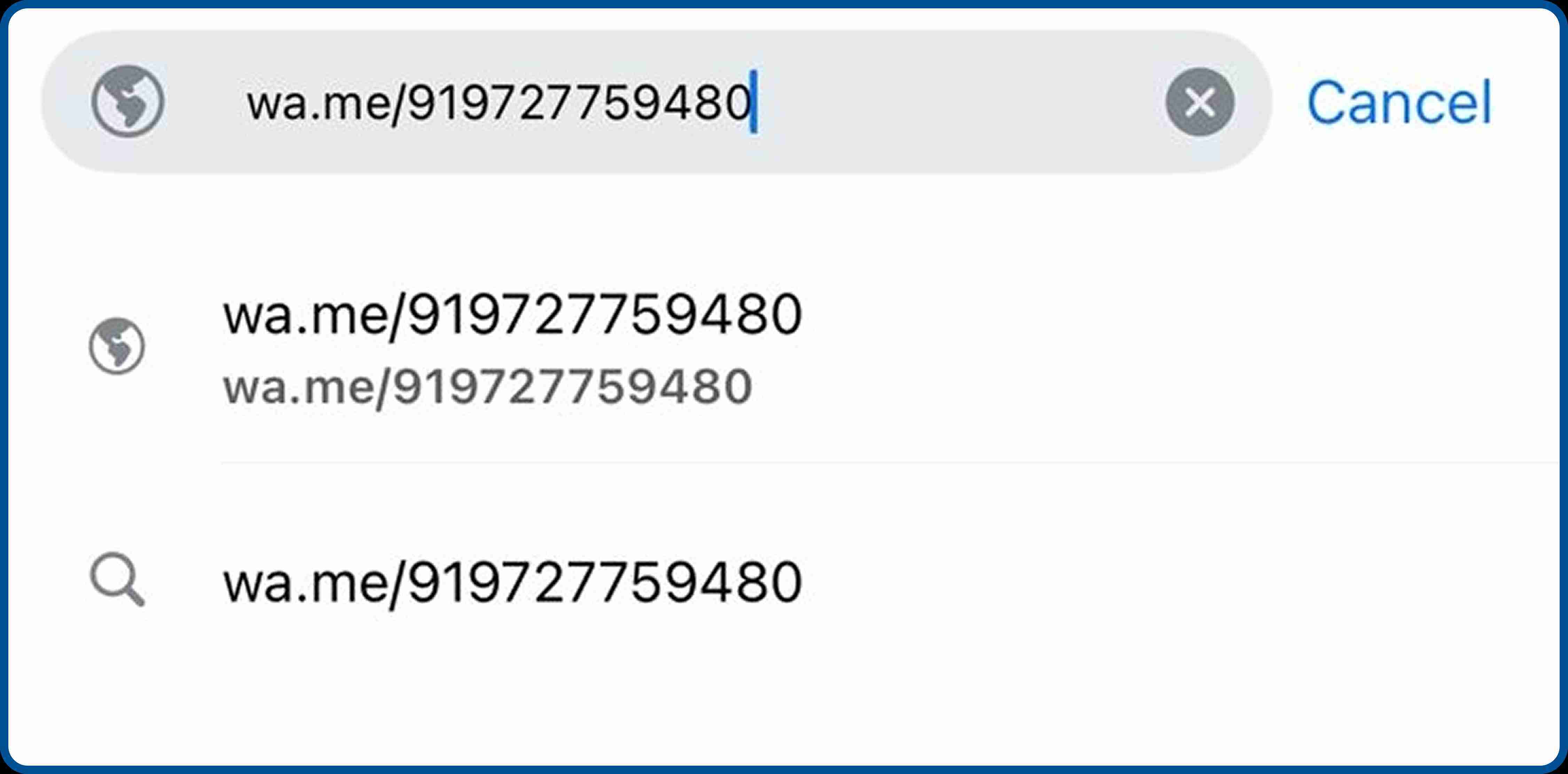
- This generates a direct link to that contact's WhatsApp chat, no saving required. You can also create a short URL using tools to make the link shareable for outreach purposes.
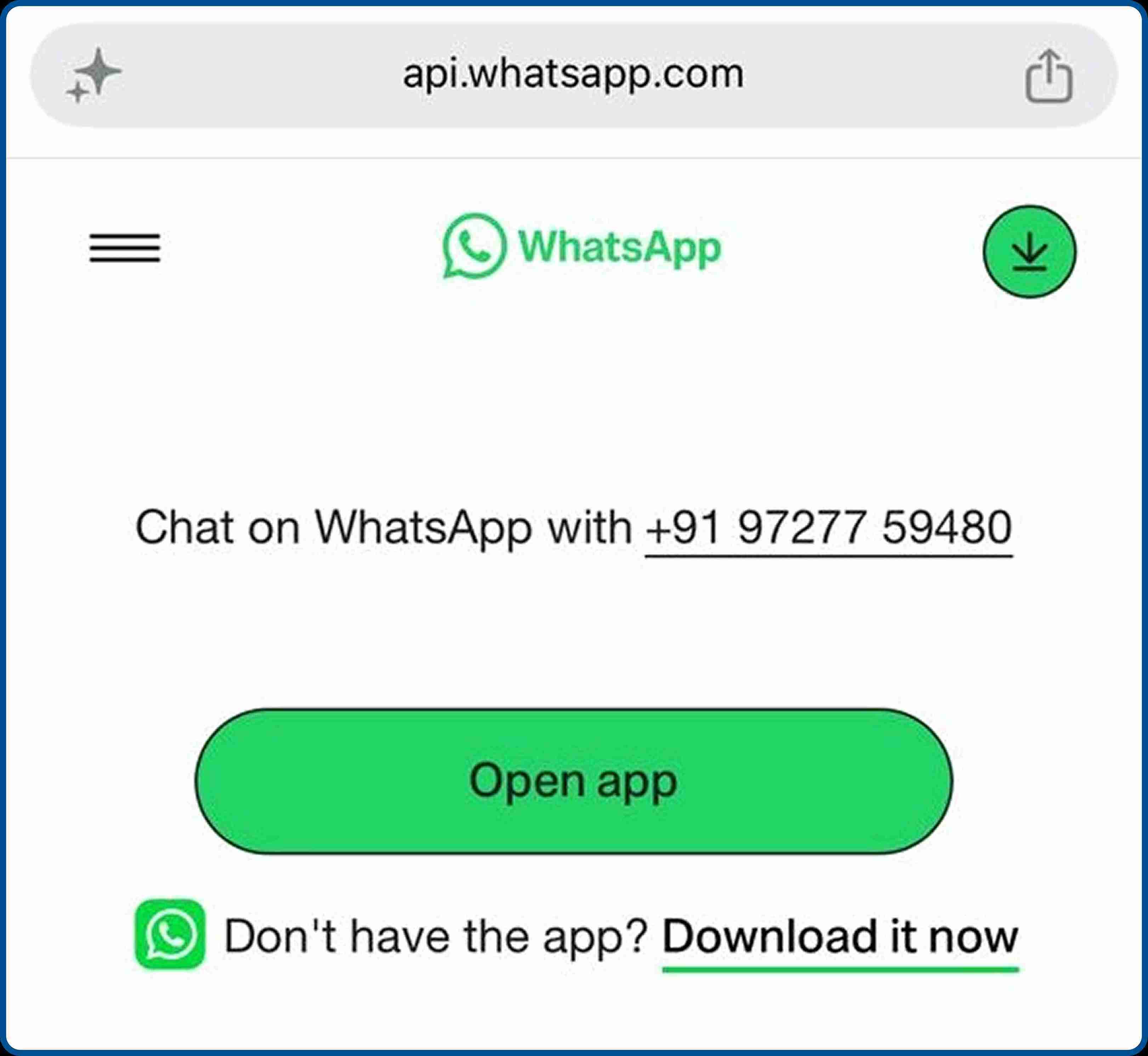
- Once you open the link, a chat window launches instantly inside WhatsApp or WhatsApp Web. You can type your message and send it right away without ever adding the person to your phonebook. The recipient receives it like any other message from an unknown number.
This method is genuinely useful for reaching out to a supplier, confirming a delivery, or connecting with a one-time client. However, it is entirely manual.
You cannot use it for bulk campaigns, automate it for large contact lists, or track any engagement. For anything beyond 5–10 messages, you need a more capable approach
Method 2: The Self-Chat Hyperlink (The Fast In-App Hack)
If you don't want to open a mobile browser to generate a click-to-chat link, WhatsApp has a native, hidden workaround built right into its application. This is arguably the quickest way to send WhatsApp without saving a number when you are on your phone and need to initiate a conversation immediately.
Here is how to use this simple text trick:
- Open a chat with yourself: Tap on your contact list inside WhatsApp and select the "Message yourself" chat option. (Alternatively, you can use any existing chat with a trusted friend or family member).
- Type and send the number: Type or paste the full phone number, ensuring you include the correct international country code (e.g., 91 for India), and hit send.
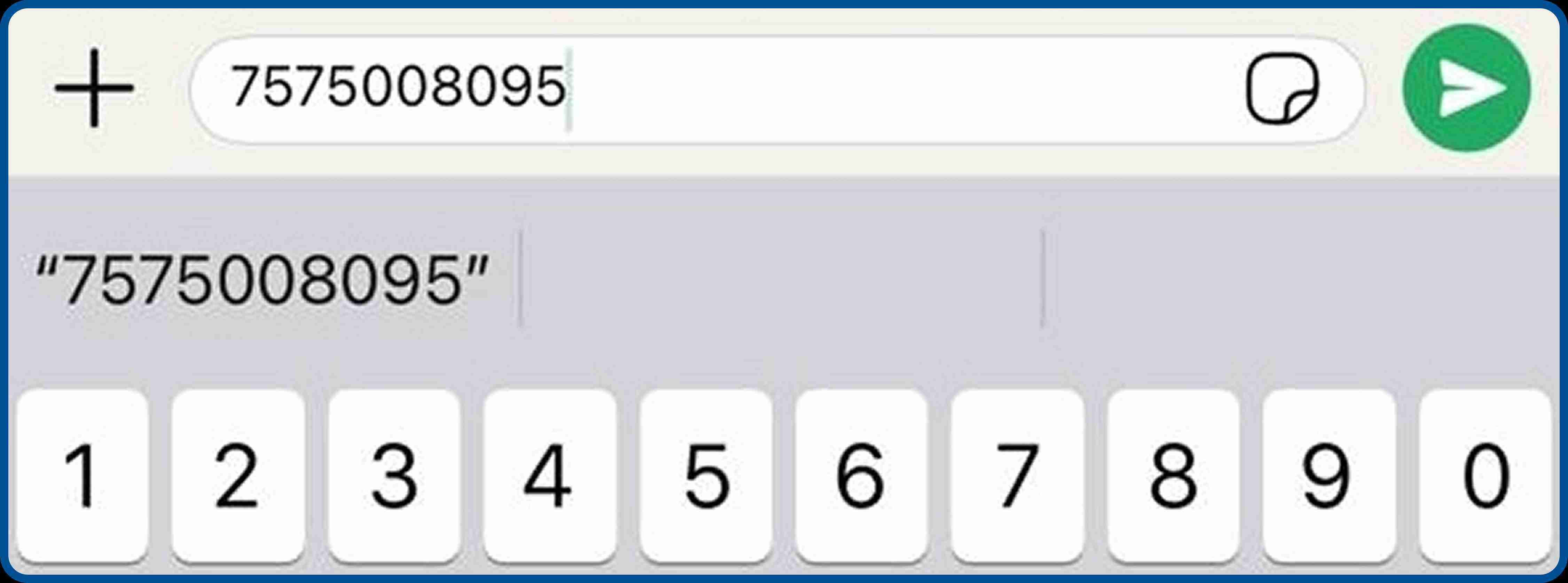
- Tap the hyperlinked text: Once sent, WhatsApp automatically recognizes the digits as a phone number, making the text turn blue and hyperlinked.

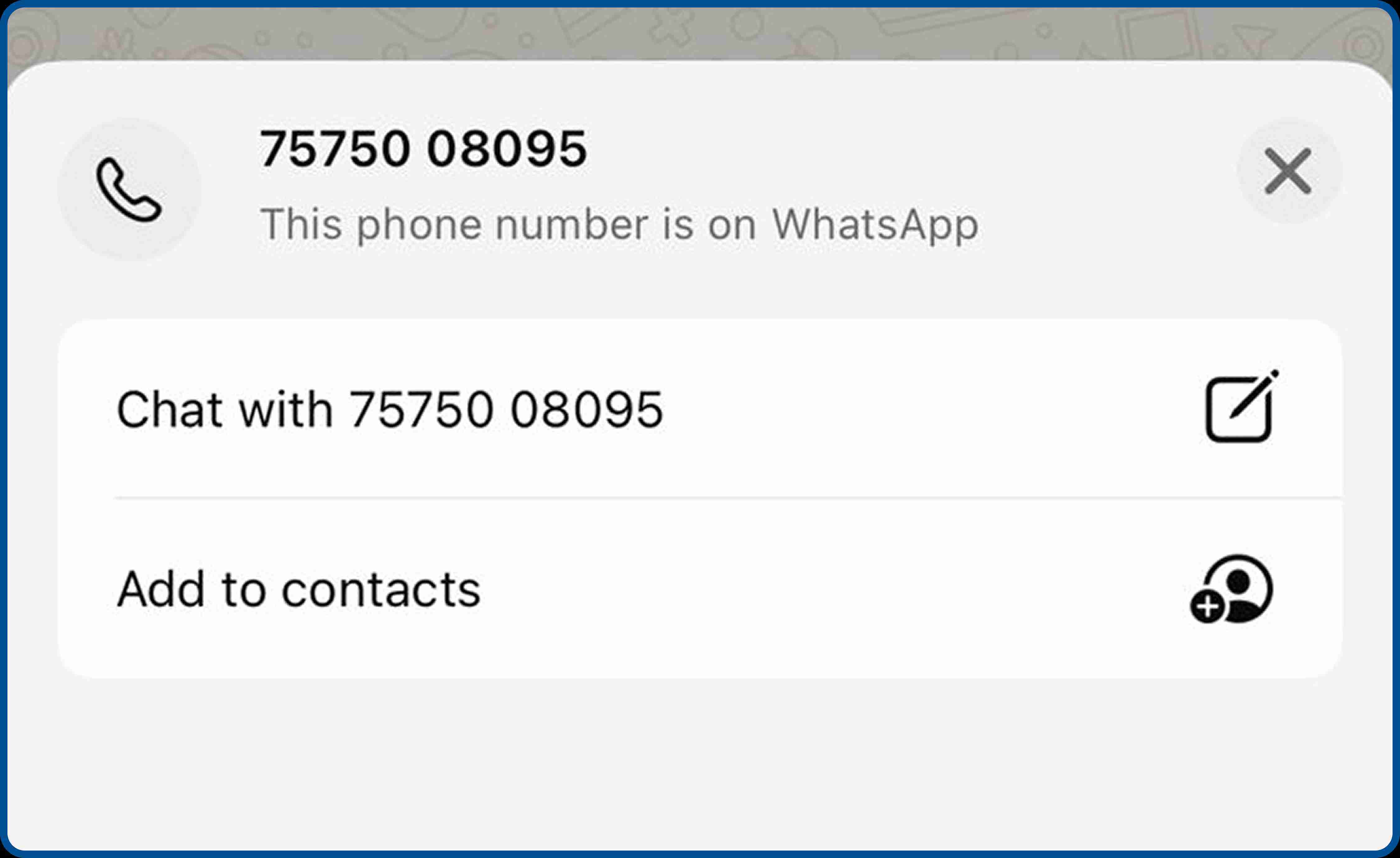
- Start your chat: Simply tap on the blue hyperlinked number. A pop-up menu will appear, select "Chat with [Number]" to launch a new, unsaved chat window instantly.
Method 3: Third-Party "Bulk Tools" (Why You Must Avoid Them)
You might find unauthorized software promising to help you send WhatsApp without saving numbers in bulk. Stay away from them, as such ‘grey’ tools use automation scripts that violate WhatsApp’s Terms of Service and put your business at risk.
Here is what actually happens when you use them:
- The Ban Risk: Meta has advanced systems that detect non-human messaging behavior like unusual sending speeds, scripted replies, or bulk activity from a single number. Once flagged, your WhatsApp number gets permanently banned and recovering a banned business number is nearly impossible.
- Data Theft: Most unauthorized bulk tools require you to upload your entire lead list to their servers. These platforms have no accountability or data protection commitments. Your customer data, numbers, names, location, and purchase history can be sold, leaked, or misused leading to legal issues and loss of trust.
- Zero Analytics: Even if a message gets sent, you have no visibility into what happened next. You cannot see who opened the message, who clicked a link, or who responded. Without analytics, you cannot improve the campaigns or measure return on investment. You are effectively sending messages into a void.
Method 4: The Professional Way (WhatsApp Business API)
If you are a business, you don't need hacks; you need the WhatsApp Business API. This is the only officially Meta-approved method to send bulk messages to users who have not saved your contact details.
Unlike the free app, the API (powered by platforms like Kwik Engage) identifies you as a verified business. This allows your message to land directly in the user's inbox with your brand name, even if they have never heard of you before.
- Behavioral Triggers: Instead of manually selecting contacts, the API lets you set triggers. If a user abandons a cart or signs up on your site, the message fires automatically to that specific number without you ever opening a phonebook.
- Interactive Message Formats: Plain text messages have limited impact when reaching cold or unsaved contacts. The API lets you build messages with clickable buttons like "Buy Now" or "Claim Offer" alongside structured list menus. Interactive formats increase response rates from audiences who do not yet recognize your number. To know more about the advanced tools available to verified businesses, read our detailed blog onWhatsApp business features.
Template-Based Compliance: To prevent spam and protect users, Meta requires all API-initiated conversations to use pre-approved Message Templates. Every template goes through a review process before it can be sent. This vetting is exactly why Meta allows these messages to bypass the "saved contact" filter.
_1774858325.jpg)
Solving the Unsaved Contact Problem with Kwik Engage
Kwik Engage is built for D2C brands that want to grow without getting buried in manual processes. Our platform removes contact management friction entirely, so your team can focus on campaigns that convert rather than spreadsheets that do not.
Here is how Kwik Engage helps you master how to send WhatsApp message without saving number at scale:
- Bypass the Mutual Save Rule: Send broadcasts to 100,000+ users instantly. As long as they have opted in to receive updates, your message gets delivered without any mutual saving required. You reach your entire opted-in audience every single time, with no messages going missing due to contact list mismatches.
- Blue Tick Credibility: Instead of seeing a random unknown number, your customers see your Brand Name and a Blue Tick on WhatsApp, which builds instant trust. To know more about the application process to verify your business, read ourWhatsApp blue tick verification guide.
- Anonymous Visitor Identification (Kwik Pass): We go a step further. We help you identify "anonymous" visitors on your website who haven't even logged in, allowing you to retarget them securely and compliantly using a website visitor identification solution such as Kwik Pass.
RTO Reduction Calls: Cash-on-delivery orders from new customers carry a return risk that cuts directly into margins. Kwik Engage automates confirmation messages to unsaved users the moment a COD order is placed. There is no need to save their number or assign a support agent. The message fires, the customer confirms intent, and your RTO rate drops without any manual effort.
_1774858325.jpg)
3 High-Converting Templates for Unsaved Contacts
When you message someone who hasn't saved your number, your first impression is everything. You cannot be vague. Here are three templates designed to build trust instantly with cold or unsaved audiences, ensuring your message gets read and acted upon.
1. The Abandoned Cart Nudge
This template works because it proves context. The recipient immediately understands you know what they were looking at, which makes the message feel relevant rather than intrusive.
Hi [First Name]
You left something behind in your cart at [Brand Name].
Your [Product Name] is still waiting and we saved it for you.
Tap below to complete your order before it sells out.
[Complete My Order] | [Not Interested]
The two-button format gives the user control, which increases the likelihood of a positive interaction.
Encourage users to complete their order before it sells out by providing a direct link. To know more about converting visitors who leave items behind, read our blog onadvanced strategies to reduce cart abandonment.
2. The COD Confirmation Request
This template is designed to reduce return-to-origin losses on new orders from unsaved contacts.
Hi [First Name],
Your order #[Order ID] for [Product Name] has been placed successfully with [Brand Name].
Since this is a Cash on Delivery order, could you confirm your delivery details?
[Yes, Confirm Order] | [I Need to Change Something]
Sending this immediately after an order is placed catches customers while intent is highest. Brands using Kwik Engage for RTO reduction enjoy significant drops in undelivered COD orders.
3. The Welcome Offer
This template introduces your brand to a new contact with a clear value exchange. The opt-out option signals respect for the recipient's inbox and complies with Meta's messaging policies.
Welcome to [Brand Name]!
We are glad you are here. Here is an exclusive offer just for you:
Use code WELCOME15 for 15% off your first order.
Valid for the next 48 hours only.
[Shop Now] | [Reply STOP to unsubscribe]
The urgency element, the exclusive framing, and the visible opt-out all work together to maximize conversions.
Best Practices for Messaging Unsaved Numbers
Just because you can message unsaved numbers doesn't mean you should spam. Here are the best practices to avoid any unwanted consequences and ensure your WhatsApp marketing efforts remain sustainable and effective over the long term.
Alt Text: Best practices on how to send WhatsApp message without saving number
- Always Get Opt-In: Every user you message must have actively agreed to receive WhatsApp communications from your brand. This consent can be collected through a website pop-up, a checkout checkbox, or a click-to-WhatsApp ad.
- Offer an Opt-Out: Always include a ‘Reply STOP to unsubscribe’ button. It protects your Quality Score and keeps your list clean of users who are not interested. Offering an opt-out keeps your list clean of users who are not interested in your brand. To know more about how intelligent checkout systems protect your revenue from high-risk orders, read our blog on theGoKwik RTO-based payment stack.
- Be Relevant: Use Kwik Engage’s segmentation to send offers based on what they looked at, not generic blasts. Personalized messages have significantly higher conversion rates than bulk spam.
Final Remarks: Stop Saving, Start Selling
Learning how to send WhatsApp messages without saving numbers is a productivity hack for individuals, but a survival strategy for businesses. You cannot scale a brand by manually saving contacts. It is time-consuming, error-prone, and ultimately limits your growth potential.
Stop treating WhatsApp like a phonebook and start treating it like a revenue channel. Upgrade to Kwik Engage to professionally and profitably send bulk campaigns to unsaved contacts.
Transform your WhatsApp marketing strategy from a manual chore into an automated engine for sales and customer engagement. Book a demo to see how Kwik Engage transforms for marketing campaigns.
Frequently Asked Questions

AUTHOR
Suhag Vamja
Head of Product Marketing @ GoKwik