|
Factor |
Blue Tick (Official Business Account) |
Standard WhatsApp Business Account |
|
Display in chat headers |
Shows the approved business name with a verified badge visible on the recipient's phone, whether Android or iPhone. |
Shows phone number by default; business name may not be highlighted in the same way. |
|
Branding control |
Stronger, consistent branding tied to your official name and identity. |
Basic branding via profile photo, description, and catalog only. |
|
Trust signal |
High trust: Shoppers trust it as the official account of the brand, verified by Meta. |
Lower trust, especially for first‑time outreach from unknown numbers. |
|
Messaging foundation |
Requires official WhatsApp Business API access via a BSP (Business Solution Provider) and a Meta-verified business. |
Can run only on the free app or with basic business tools; API not mandatory. |
|
Reach and tooling |
Typically used with advanced automation, segmentation, and CRM integrations via API. |
Limited to app features like quick replies, labels, and simple broadcast lists. |
|
Message Delivery |
Professional tracking across WhatsApp server infrastructure. |
Basic message status indicators (grey ticks and read receipts). |
How To Get WhatsApp Blue Tick Verification For Your Business (2026 Ultimate Guide)
 09 Jan 2026
 15 Min Read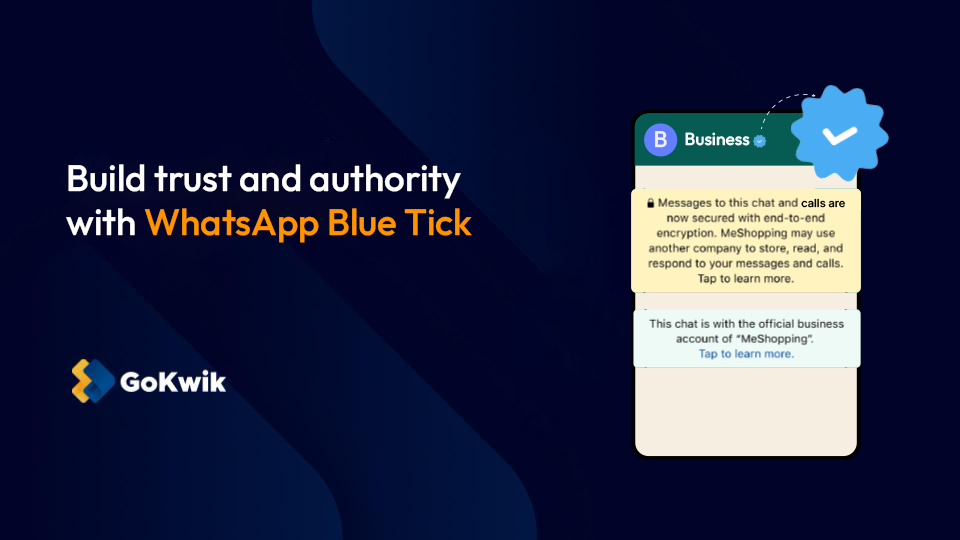
Trust isn't just a sentiment- it is a conversion metric. Recent data suggests that over 81% of consumers cite trust as a deal-breaker when deciding whether to buy from a brand. When a customer receives a WhatsApp message from an unknown number, their default reaction is skepticism. Is this a scam? Is this spam?
This hesitation kills conversion rates.
The WhatsApp Blue Tick (verification badge) is the antidote to this skepticism. It serves as an immediate, visual confirmation that your brand is the official, authentic entity it claims to be. By replacing anonymity with authority, you aren't just verifying your identity; you are removing the friction between a customer seeing your message and feeling safe enough to click "Buy."
What This Guide Will Cover
What Is WhatsApp Blue Tick Verification?
The WhatsApp blue tick is the blue-coloured check mark badge that shows your account is an Official Business Account (OBA) verified by WhatsApp (Meta) as the authentic account of a notable business or brand. When your message shows up on the recipient's device, they see your business name and a verified checkmark, indicating that it is indeed the business claiming to be so, and not an imposter. This significantly boosts trust.
The OBA status is only available to businesses using the WhatsApp Business Platform (API), not to the free WhatsApp Business app on mobile devices. Meta reviews your brand’s notability, policy compliance, and account quality before assigning this status, and approval is deliberately limited so that the badge remains a strong signal of authenticity.
To users, the biggest difference is how your identity appears in chat and in your business profile. A verified Official Business Account shows your chosen business name and a blue mark right next to it in places where a normal account would show only your phone number or name.
With a standard WhatsApp Business account, even if you set a business name and profile, many users still primarily see your number and may hesitate to reply, especially for cold or first‑time outreach. That hesitation is exactly what the blue tick is designed to reduce for brands that qualify as notable and compliant. It is a strong signal of authenticity.
Many teams assume the blue tick is a magic lever that fixes all deliverability or growth problems, but that is not how Meta treats verification. The badge is a trust indicator for users; it does not override quality rules, policy enforcement, or content controls built into the WhatsApp Business Platform.
In short, getting verified on the Meta Business Platform and acquiring a blue tick does not mean:
What Are The Basic Requirements For WhatsApp Business Blue Tick?
To be considered for an Official Business Account, your business must meet these baseline conditions set by Meta.
- First, you must operate as a registered legal entity (not just an individual or informal setup) and comply with the WhatsApp Business Messaging and Commerce Policies in your region.
- Second, your WhatsApp number must be on the WhatsApp Business Platform (API) through a recognized Business Solution Provider (BSP). Two‑step verification must be turned on, and there must be an approved display name. What this means is you don’t interact with WhatsApp directly, but rather use a platform that manages your API, such as Kwik Engage, which helps businesses maintain communications on WhatsApp and gain smart insights to boost revenue.
- Third, your brand needs a compliant online presence- a functional website with accurate business details, plus public signals like social profiles or listings that match your legal name.
How to Get a Blue Tick in WhatsApp? The 5-Step Process
- Set up WhatsApp Business API (choose the right provider)
Move to WhatsApp Business API through a Meta-approved BSP. Start by listing your use cases (support, order updates, marketing, automation) and expected volume, because your setup and provider should match what you will run at scale. Ensure the BSP offers template support, opt-in/opt-out tools, analytics, and CRM/helpdesk integrations, plus reliable support for approvals and troubleshooting. Avoid picking only on price or trusting “guaranteed blue tick” claims.
- Register your number and lock your brand identity
Use a dedicated number or migrate your business number, but make sure it is not active on the WhatsApp app once onboarded to the API. Set your display name exactly as your brand is publicly known and as it appears on your official assets. Ensure your name, logo, and business details are consistent everywhere. Avoid nicknames, extra keywords in the name, or frequent changes right before applying.
- Complete Meta (Facebook) Business Verification
Verify your legal entity inside Meta Business Manager by submitting the right documents (business registration, GST/tax ID, and address proof) and verifying your website domain. Ensure every detail matches across documents, Meta settings, and your website. Avoid unclear scans, mismatched addresses, or using personal documents, as these commonly trigger failure.
- Build notability and improve account quality before applying
Strengthen your public brand presence with a credible website, active social profiles, and 3–5 strong third-party mentions (reputable press, major marketplaces, app store listings). At the same time, run clean opt-in messaging and maintain low block/report rates so your account quality stays healthy. Ensure you have clear consent collection and an easy opt-out. Avoid self-published links as “proof” and avoid spammy broadcasts that hurt quality.
- Submit the blue tick application and monitor the outcome
Apply through Meta Business Manager or via your BSP dashboard by submitting your business details and the best evidence links proving notability. Ensure you use recent, high-quality links and keep your branding consistent across all proofs. Avoid submitting weak directories or irrelevant pages. If rejected, fix the specific issue, improve your evidence/quality, and reapply after the cooldown period.
Large consumer brands
E-commerce stores with strong awareness,
Major service businesses like EdTech and FinTech platforms, and
Institutions or organizations with news coverage or wide social visibility and engagement.
- Large consumer brands
- E-commerce stores with strong awareness,
- Major service businesses like EdTech and FinTech platforms, and
- Institutions or organizations with news coverage or wide social visibility and engagement.
Why Do WhatsApp Blue Tick Applications Get Rejected?
Rejections usually happen because Meta does not see enough notability or finds policy or branding issues during review.
For example, if your brand has limited public presence, mostly self‑published content, or an inconsistent identity across channels, Meta may decide it does not meet the threshold for an Official Business Account. In such a case, your Business Account API keeps working, but you don’t get a blue tick badge.
Here are the other common reasons and what you can do to fix them:
Here are the other common reasons and what you can do to fix them:
If your request is rejected, Meta and major BSPs typically require a waiting period of around 30 days before you can submit a new application for the same number and brand.
When you reapply, your new request should clearly show what has changed in your public presence or compliance posture since the previous decision. That’s why you should use your waiting period strategically by working on your website, PR, and listings to improve your online visibility.
Here are a few things you should implement:
- Rejection reason 1: Low NotabilityWhat it means: Your business has limited public presence. Meta likely found mostly self-published content (your own website/socials) rather than external validation, or saw inconsistent branding across different channels.How to fix it? Focus on building social proof. Secure press mentions in news outlets, improve your website's SEO authority, and ensure your brand name and logo are standardized across all platforms.
- Rejection reason 2: Restricted CategoriesWhat it means: Your business falls into high-risk or prohibited industries such as gambling, adult content, cryptocurrency, or tobacco products.How to fix it? Review the WhatsApp Commerce Policy carefully. If your core business model violates this policy, you are ineligible for verification.
- Rejection reason 3: Poor Account QualityWhat it means: Your phone number has a history of high block rates, user reports, or policy violations. This usually happens when sending spammy or irrelevant broadcast messages.How to fix it? Pause aggressive marketing. Run opt-in campaigns to ensure users actually want to hear from you, fix your message templates to be less sales-heavy, and improve your quality rating in the Meta Business Manager before reapplying.
- Rejection reason 4: Weak EvidenceWhat it means: The supporting links provided in the application were irrelevant (e.g., personal blogs, obscure directories) or lacked third-party validation.How to fix it? Gather 3–5 high-authority links. These should include reputable news articles featuring your brand, listings on major marketplaces (like Amazon or Flipkart), or verified app store links.
- Improve website authority: Work on your site’s SEO and add detailed content so your business appears more established in search results.
- Get media coverage: Secure at least a few meaningful press mentions or features in industry news to prove your brand's notability.
- Polish your design: Upgrade your website’s design and user experience to ensure your brand looks professional and credible.
- Standardize your name: Check every social media profile to ensure your business name is spelled exactly the same way everywhere.
- Remove confusion: Delete or update any old, conflicting, or outdated profiles that might confuse the review team.
- Submit fresh evidence: When you reapply, make sure to include new, high-quality links that were not part of your rejected application.
What Ongoing Compliance Is Required After Getting a Blue Tick?
Securing the blue tick is not a permanent achievement. It is a status you must actively maintain. Meta constantly monitors account activity to ensure verified brands continue to act responsibly. If your standards slip, your badge can be revoked immediately.
To keep your Official Business Account (OBA) status in good standing, you must focus on three core areas:
The Consequence of Non-ComplianceMeta has zero tolerance for spam. Repeated violations, high block rates, or misleading message flows can result in warnings, temporary suspensions, and ultimately, the permanent removal of your blue tick.
Once your account is verified, make the badge visible wherever customers decide whether to trust you. Add your official WhatsApp link and label (“Chat with our verified WhatsApp account”) on your website, checkout pages, support pages, and social media bios so people know they are contacting the real brand.Getting the blue tick is just the starting point; retaining it and maximizing its impact requires consistent effort. To keep your account in good standing and drive value, follow these guidelines:
The WhatsApp blue tick is more than just a status symbol; it is a strategic asset for brands ready to scale. For established businesses, it removes the friction of anonymity, ensuring customers know they are engaging with an official, trusted entity. While a badge cannot fix a poor marketing strategy, it significantly amplifies a good one by boosting open rates and brand credibility.
However, timing is critical. If you are an early-stage business, prioritize building your digital footprint and account quality first to avoid unnecessary rejections. When your fundamentals are solid, the verification process becomes a logical next step rather than a gamble.
Ready to secure your badge?Don't navigate the complex verification process alone. Kwik Engage helps you structure a strong, evidence-backed application to maximize your chances of approval. Install the Kwik Engage app for free on your Shopify store.
- Strict Policy Adherence: You must remain compliant with
- WhatsApp’s Messaging and Commerce Policies
- at all times. Selling restricted items or violating privacy rules will trigger an immediate review.
- Respect User Consent: Only message users who have explicitly opted in to receive communications from you. Sending unsolicited messages is the fastest way to get blocked.
- Monitor Quality Signals: Keep your block and report rates low. If too many users flag your messages as spam, your account quality rating will drop.
- Maintain strict compliance: Adhere rigorously to WhatsApp’s Commerce and Messaging Policies. Repeated violations or spammy behavior can lead to badge revocation.
- Monitor account health: Keep your block and report rates low by only messaging users who have opted in. High negative feedback will downgrade your account quality.
- Promote your status: clearly display "Chat with our verified account" links on your website, checkout pages, and social media bios to build immediate trust.
- Integrate with workflows: Connect the WhatsApp API to your CRM or chatbot to personalize interactions and track the ROI of your verified channel.
- Use entry points: Run Click-to-WhatsApp ads or use QR codes in emails to encourage customers to start conversations on your official line.
FAQs about WhatsApp blue tick

AUTHOR
Atul Bansal
Head of Marketing


![WhatsApp Catalog: How To Sell Products on WhatsApp [A Complete Guide]](https://panel.gokwik.co/storage/app/public/images/use_kwikengage_for_a_seamless_whatsapp_catalog_setup__1772512572.jpg)